

Colour your sale prices so they stand out
Make every discount pop: pick a sale price colour once, and all your product blocks use it.
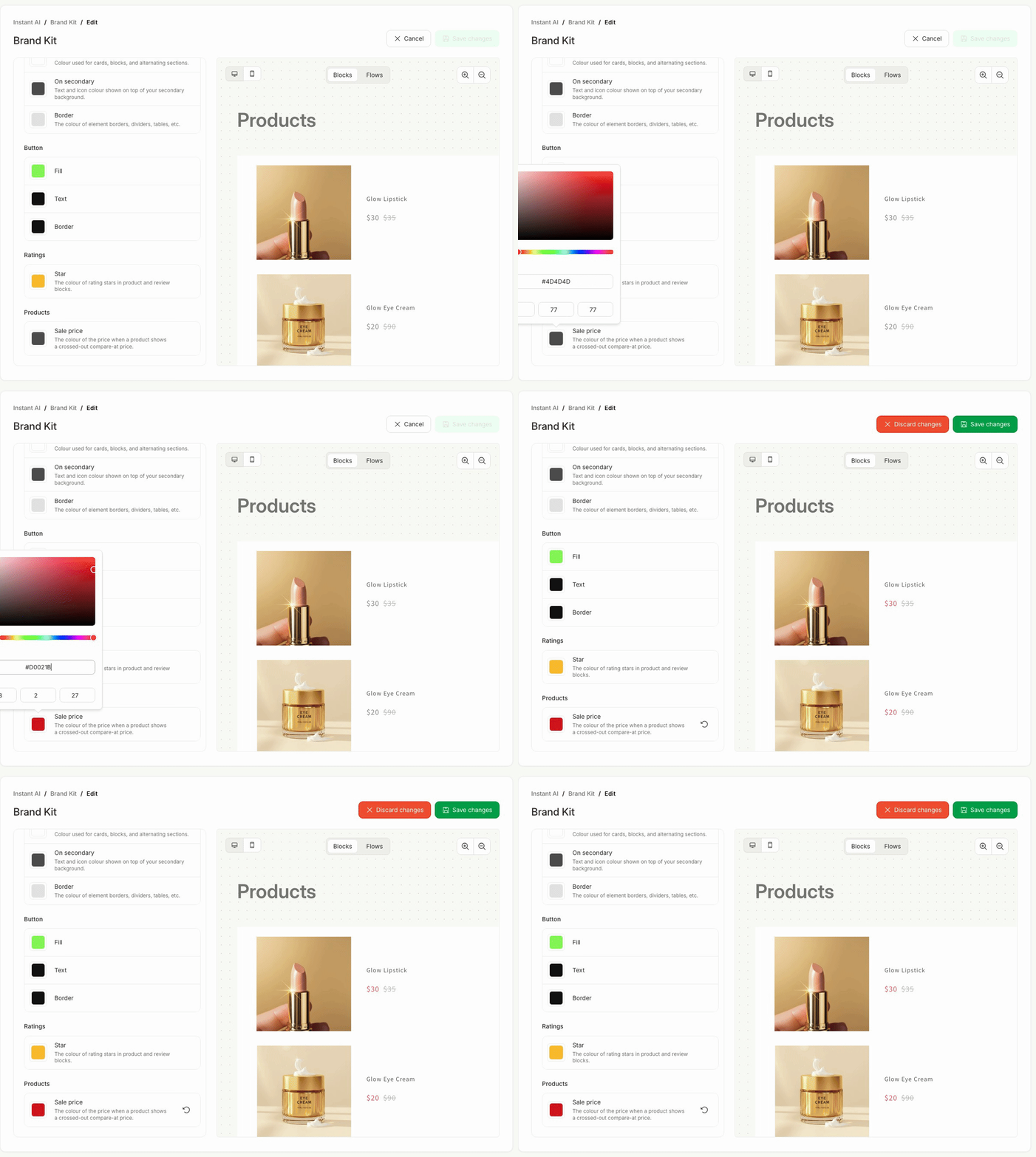
A deal is easy to miss when the sale price looks like any other price. Now your discounted prices show in your own sale colour, so shoppers spot the savings at a glance and are more likely to click through and buy.
- Set your sale price colour once in your Brand Kit, and every product block in your flows and campaigns uses it
- Only the discounted price changes colour, so the crossed-out original price stays easy to compare
- Give one product block its own sale colour when you want it to look different
- Find it in Brand Kit → Edit → Colours → Products → Sale price