

CTAs can now be overlaid on images
Add a CTA over any image in the image editor, styled from your brand kit.
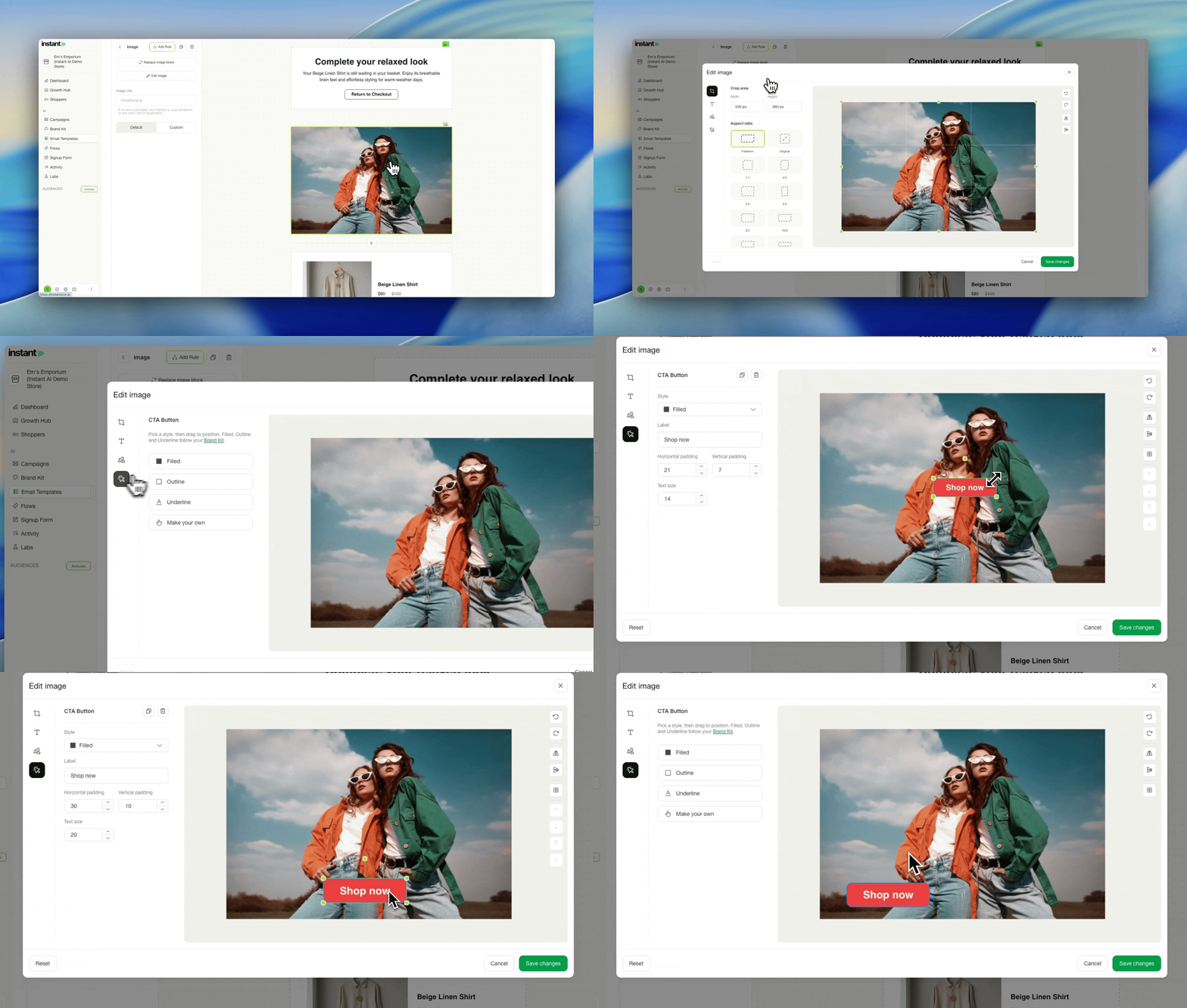
This follows text over images. The image editor already handled cropping and editable text, and the CTA was the last piece of a hero image that still had to be built somewhere else. Every CTA style in your brand kit is available in the editor, so a button placed over an image matches the rest of your email with no setup. Pick Custom when one image needs something different.
- Editing an image now includes a CTA option, so you can place a button over any image
- CTA styles come straight from your brand kit, with primary, outline and underline as the defaults
- Choose Custom to configure your own CTA instead
- Together with text and shapes, you can design a full hero image without leaving Instant
- Select an image block while editing an email, then click Edit image