

Get your dashboard login code by SMS
Add a login phone, and each time you sign in we text you a code as well as emailing one.
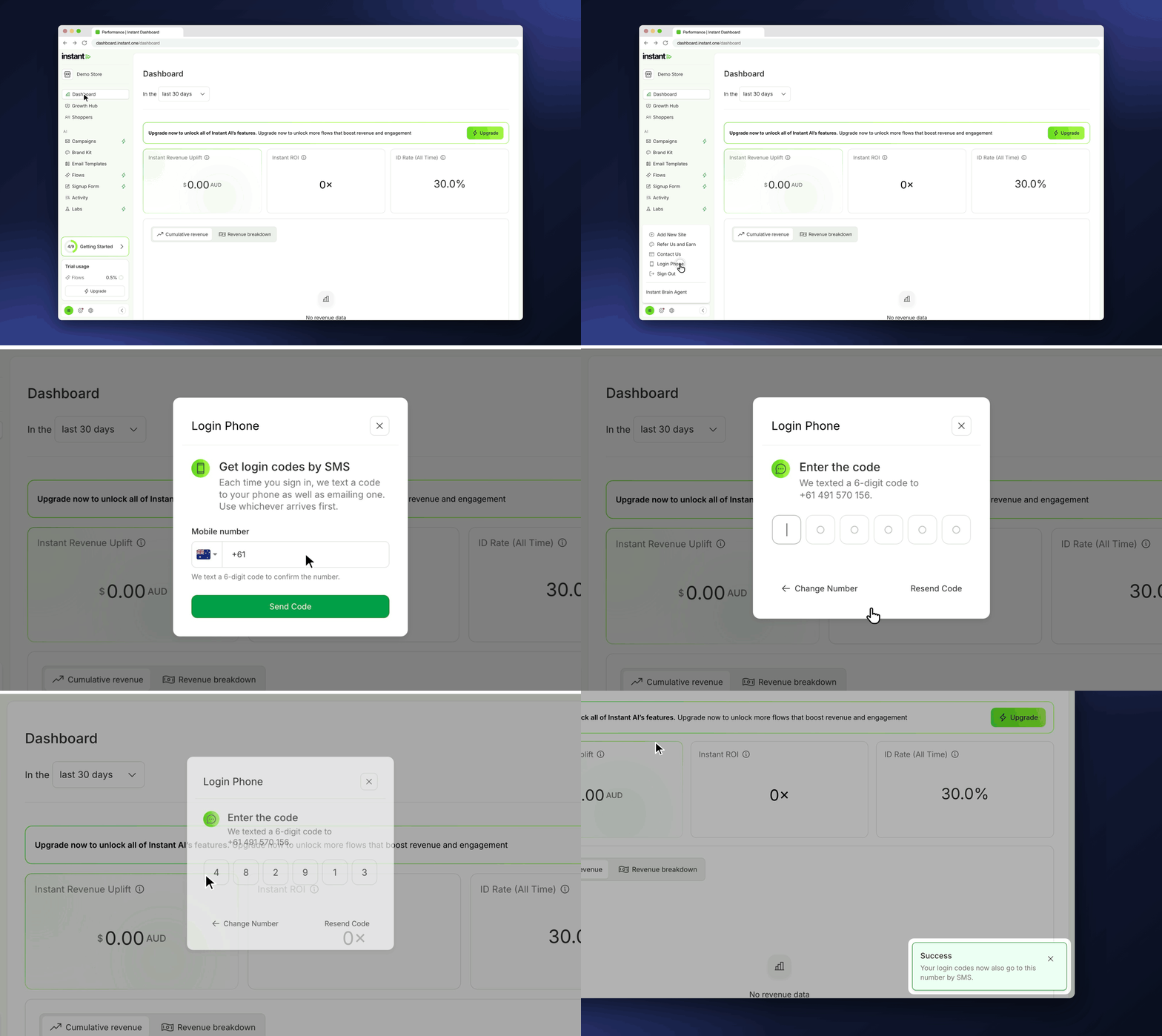
Some email providers, such as Outlook and company email systems, block or delay login code emails. A login phone gives you a second way to get your code, so a blocked email no longer stops you from signing in.
The SMS code is an extra, not a replacement. Your email code still arrives every time, and each person on your team adds their own number.
- Add a login phone to get your login code by text as well as by email each time you sign in to the Instant Dashboard
- Either code works, so use whichever arrives first
- Find it under your profile icon > *Login Phone*, then enter your mobile number and confirm it with the 6-digit code we text you
- The sign-in page shows your email address and the last two digits of your phone, so you can see where your codes went