

Make AI images for your flow emails
Give your flow emails fresh, on-brand banners made from your own products, in minutes.
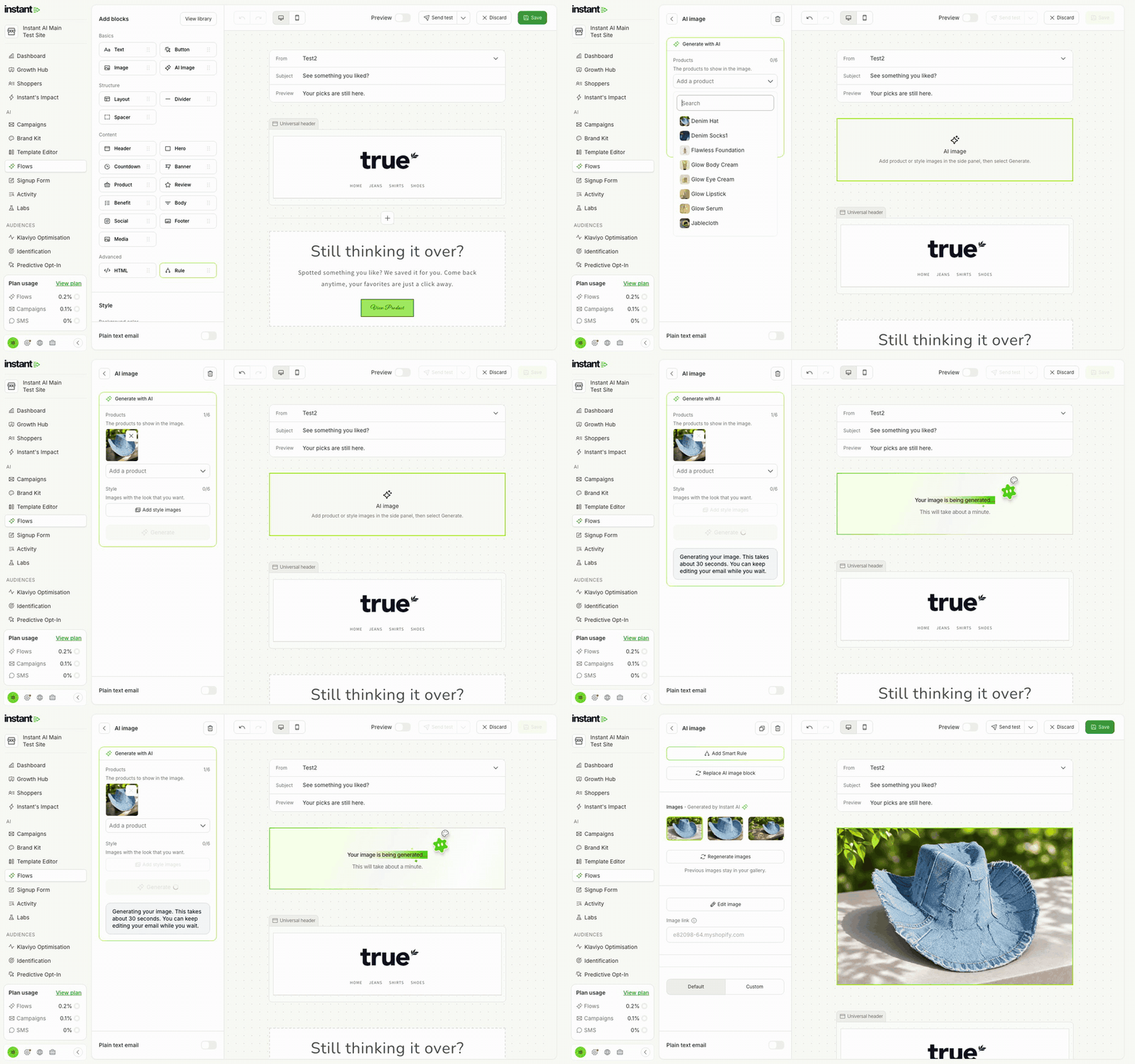
Your flows can be updated with new banners that look like your brand, with no designer, and no banners to make in another tool and upload.
- Add the AI Image block to any flow email, the same as in campaigns.
- Pick up to 6 products and up to 6 style images, then click Generate: you get 3 options to choose from.
- Click Regenerate images for a new set, or Edit image to crop or change colours.
- Find it in Flows → your flow → Template → edit an email → Add blocks → AI Image.