

Merchants can now find and add every template variable right inside the email editor
Search and add every personalisation field you can use, right inside the email editor.
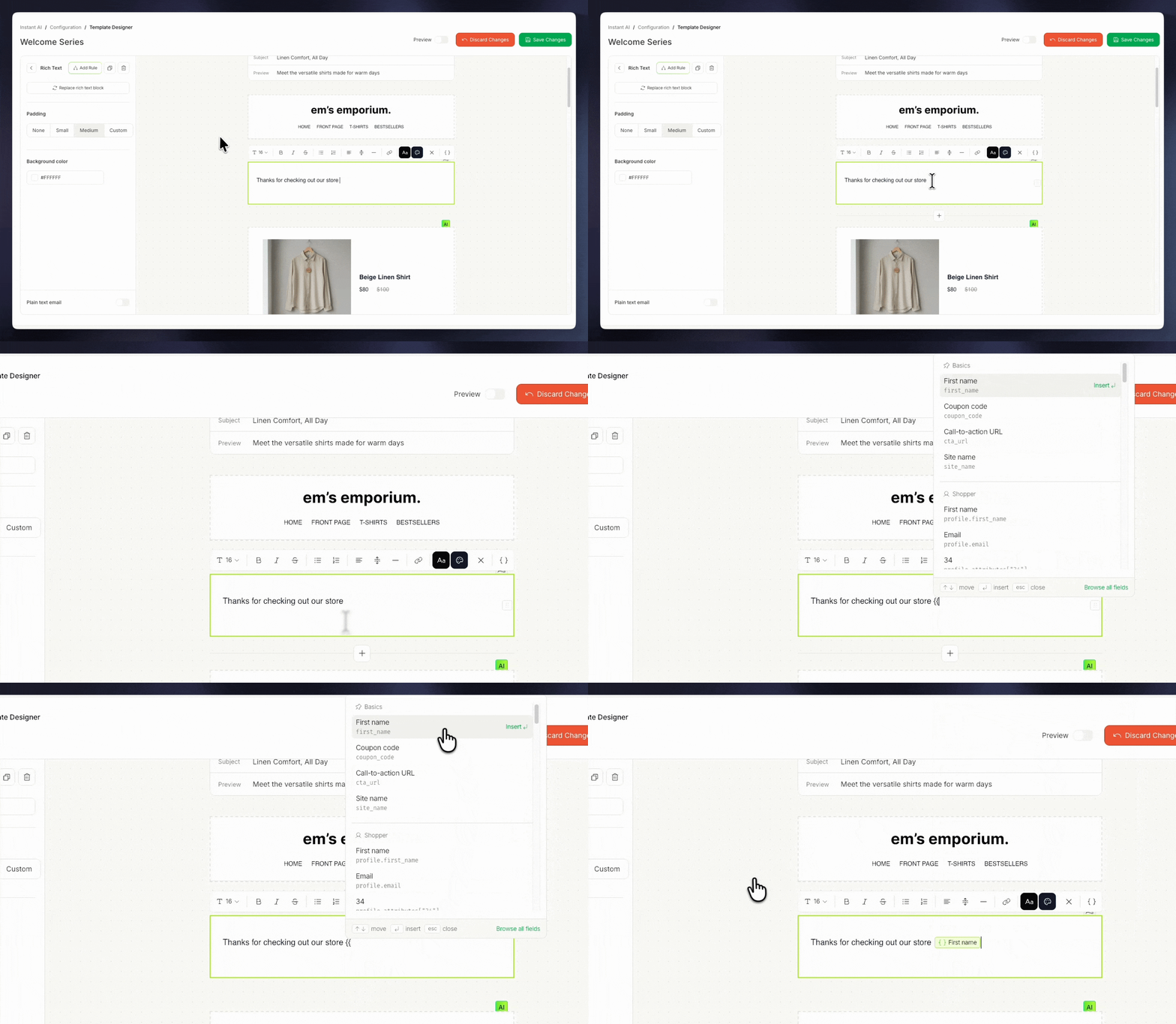
You no longer need to guess at variable names or ask support for the right one. Every field you can use is listed in the editor, with the exact variable shown under its friendly name. As Instant adds new integrations, the fields they bring will show up in the same list automatically, so personalising your emails stays in one place.
- Type
{{in any text block and a searchable list of every field you can use opens right where you are typing - Fields are grouped, for example Basics and Shopper, and each one shows a friendly name with the exact variable underneath
- The field you pick drops into your email as a chip, so you can see at a glance where your copy is personalised
- Click a chip to set a default fallback value