

Reorder campaign emails by changing their send date
Change an email's send date and your multi-step campaign puts it in the right place automatically.
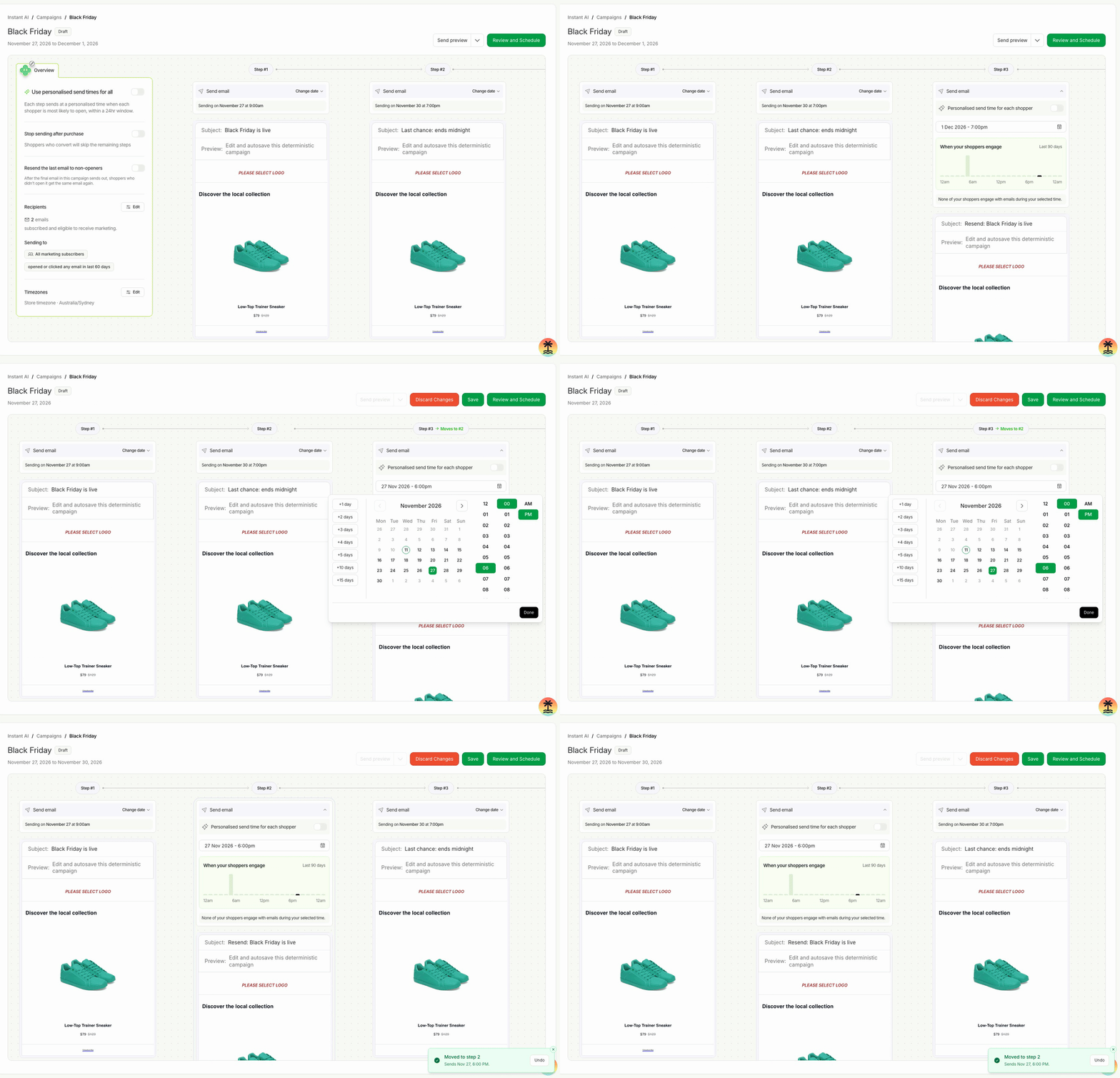
Adding a resend or moving an email earlier in a multi-step campaign used to mean re-entering dates across several steps. Now you set one date and every other email keeps its time, so planning big sales takes seconds.
- Pick any date for an email and it moves to its place in the send order, with no other dates changed
- See where it's heading before you confirm, and undo the move in one click
- Swap the send times of any two emails from a single menu
- Find it in Campaigns → open a multi-step campaign → Change date on any email