

Step up your discount at each flow email
Give shoppers a bigger discount at each step of a flow, so hesitant buyers get a stronger reason to come back.
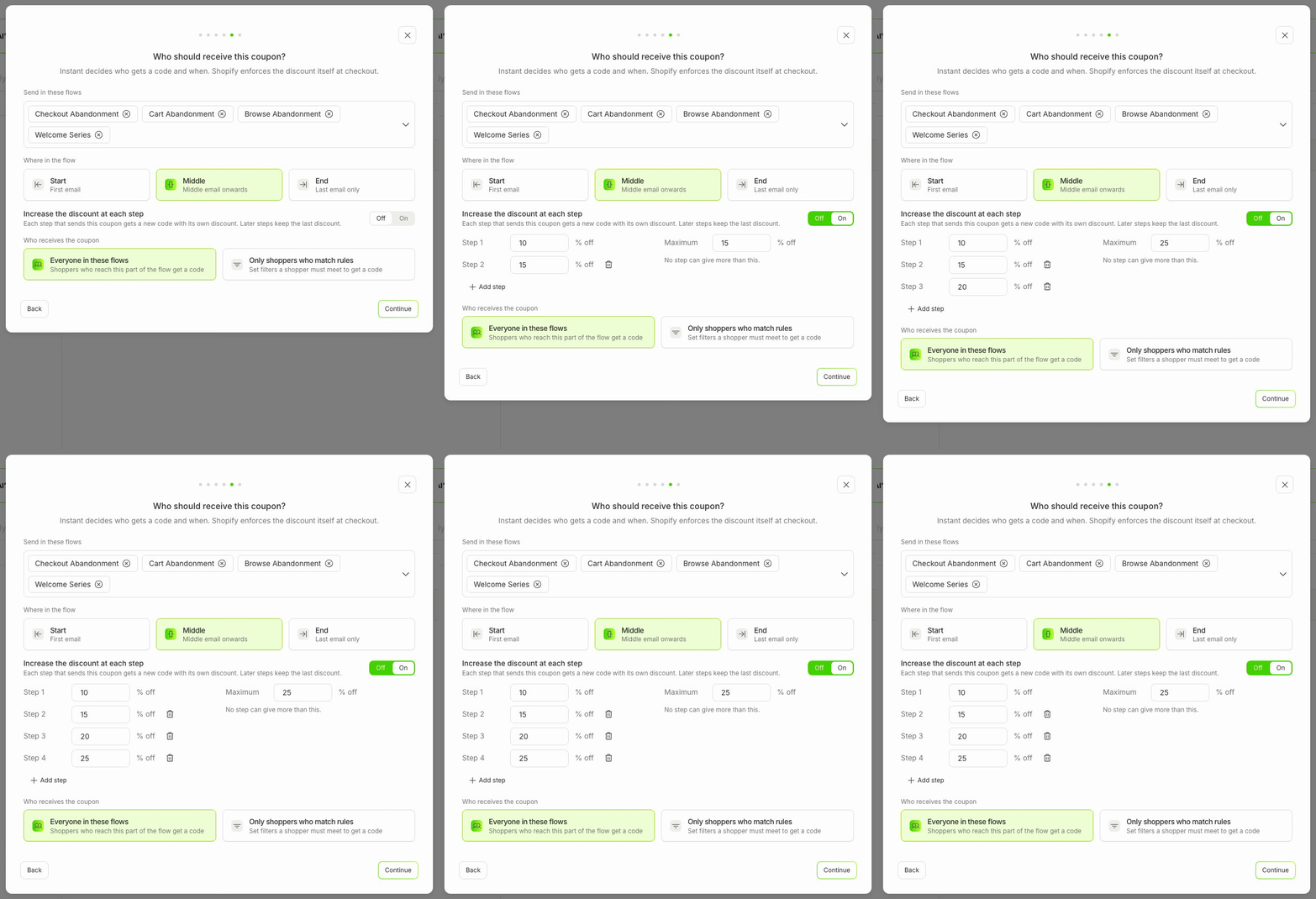
One discount for a whole flow either gives too much away up front or too little to win back a hesitant shopper. Now you can start small and step it up only for shoppers who still haven't bought, protecting your margin while recovering more sales.
- Set a different discount for each email in a flow, such as 10%, then 15%, then 20%
- Works with percentage, fixed amount and Smart Coupons, with a unique code for every shopper
- Set a maximum, so no step ever gives more than you're comfortable with, and see how each step performs in coupon analytics
- Find it in Configuration → Discounts → Add coupons, under "Increase the discount at each step"