

Upload customers to a custom list
Tag everyone in a shopper upload with a shared attribute, so you can find that group again later.
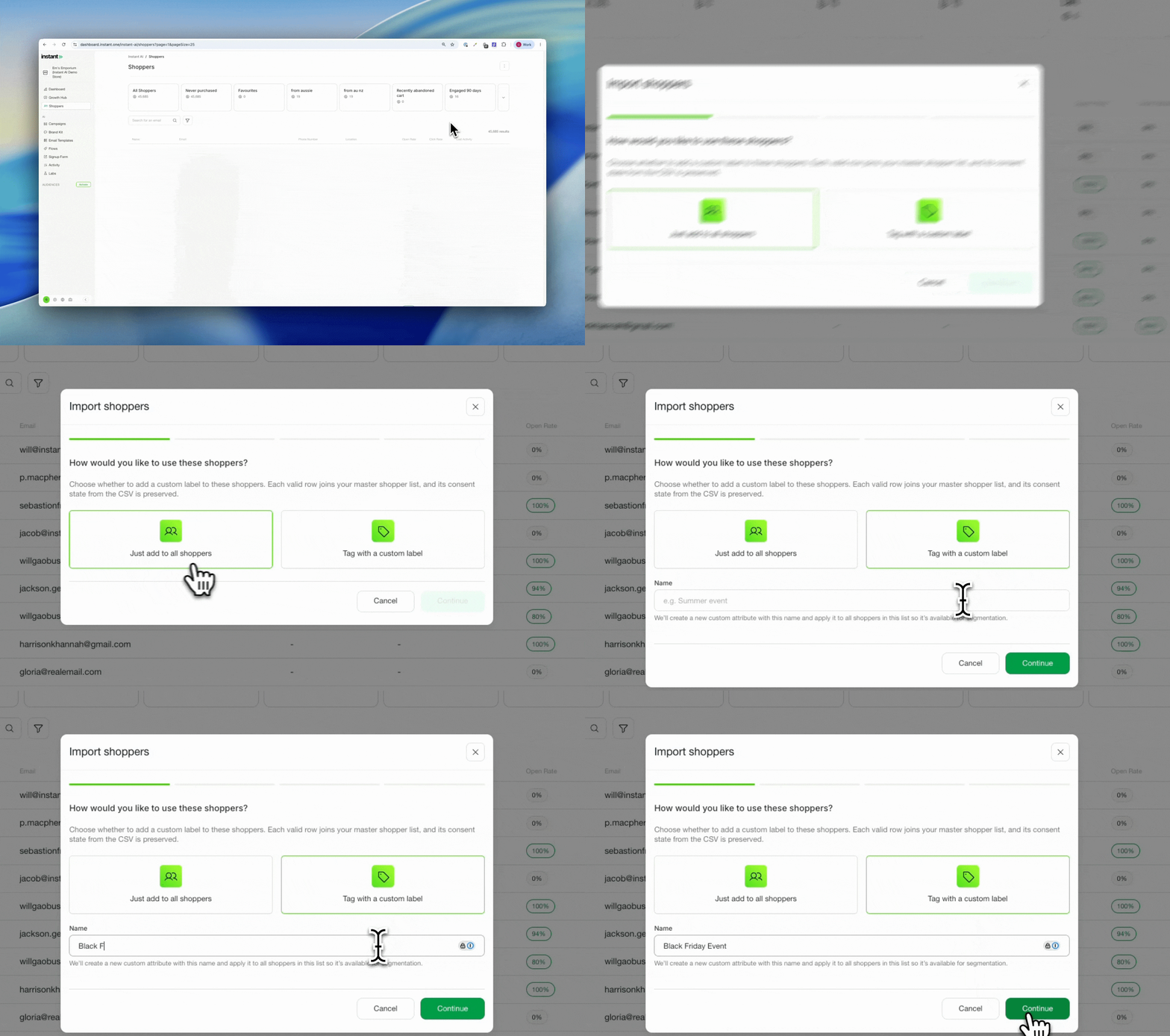
Often you run an event and walk away with a CSV of sign-up emails, then need to email everyone on that list. You can upload them as new shoppers so they are in your campaigns, but it can be hard to know where you met them or to keep that group of people associated together. Tagging them on upload solves that. The shoppers go into your master list as normal, and the shared attribute lets you find the exact group again in segmentation and target them in a campaign. Previously you could do this with Shopify tags, which is still a great, closely integrated approach. This is an alternative for when you think in terms of "lists", while staying integrated with everything in segmentation.
- When uploading a new list of shoppers, you can now choose to tag everyone in that upload with a shared attribute
- This creates a custom profile attribute for the new list and tags every shopper you upload with it
- Choose to upload to your master list only, or upload to your master list and tag them with a custom attribute at the same time
- Find the new attribute after uploading under Shoppers > Filters > Profile Attributes > Your filter